# API Keys
API keys are necessary for using the 360Dialog API. API keys are generated per phone number.
{% hint style="info" %}
The terms "phone number", "integration", and "channel" are used interchangeably, and mean the same thing.
{% endhint %}
## **Who can generate an API key?**
Being able to generate an API key depends on the phone number's payment method, and the partner's permission over the phone number.
You, the client, will not be able to generate an API key if either of the following is true:
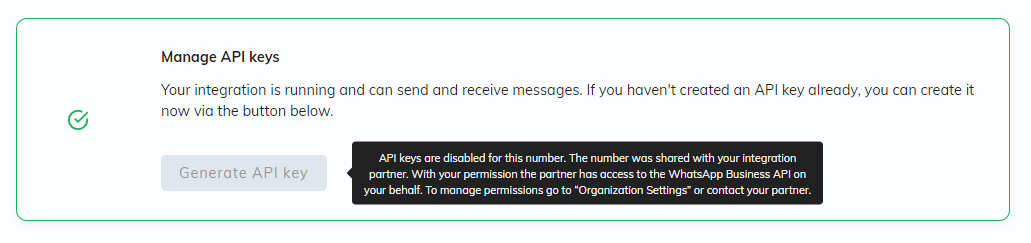
* Your integration partner has permission to manage your phone number's API key (known as "Partner Permission")
* Your integration partner manages your phone number's payments (known as "Partner Payment")
This means that for the "**Generate API key"** button to be available, both of the following must be true:
* Your integration partner must not have permission to manage your phone number's API key,
* You must be directly managing your phone number's payments (known as "Direct Payment").
## **How to Generate an API Key**
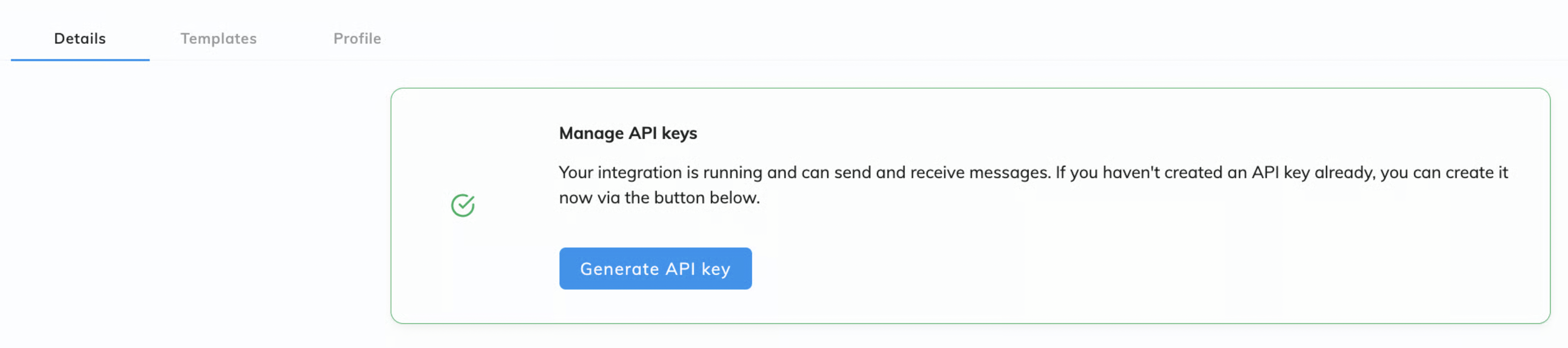
After a successful onboarding, the "Generate API Key" button will be enabled depending on the type of onboarding.
When logging into the account after a successful onboarding, the option to generate an API key will be displayed in the browser.
For safety reasons, the API key will show up only once. Make sure to store the key in a safe place before you close the window.
{% hint style="danger" %}
Clicking "Generate API key" will revoke all existing keys and create a new API Key.
{% endhint %}
## **Partner-generated API keys**
Standard Permission depends on your Partner Account Settings:
* If your Partner has Partner Payment, they will have permission to manage your channels by default
* If your Partner has Direct Payment, you must give the Partner permissions so they can generate the API key on your behalf and manage your number/channel. This permission can be given via Integrated Onboarding, or through the 360dialog Hub.
Direct payment clients can regain access to API Key management anytime via their [Settings page](#how-to-manage-partner-permission).
### How to check Partner Permission
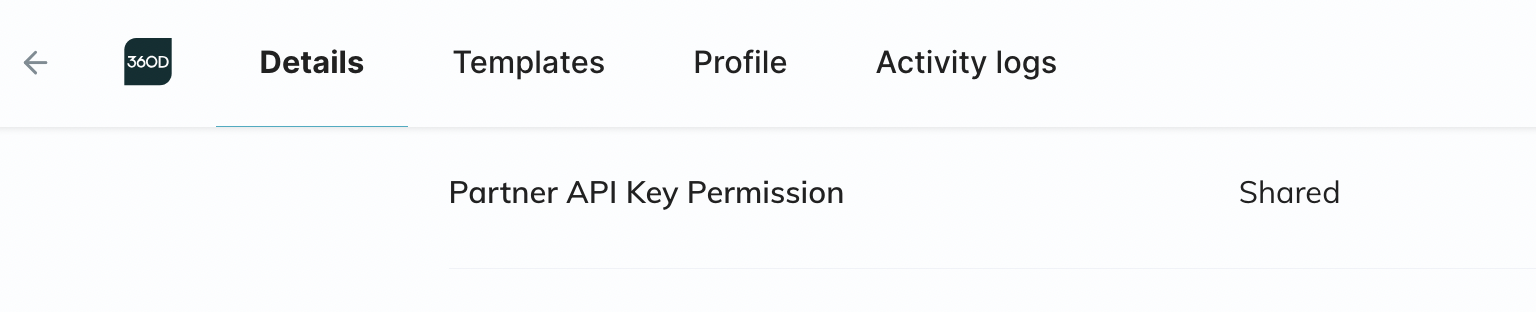
You can check your Partner permissions by accessing the 360dialog Hub → Details → WhatsApp Channel → Partner API Key Permission.
Displays "**Shared**" whether the permission to retrieve an API key for this number was shared with the Partner, or displays "**Missing**" if not shared yet. To share permissions see details below.
### How to Manage Partner Permission
#### In the Hub
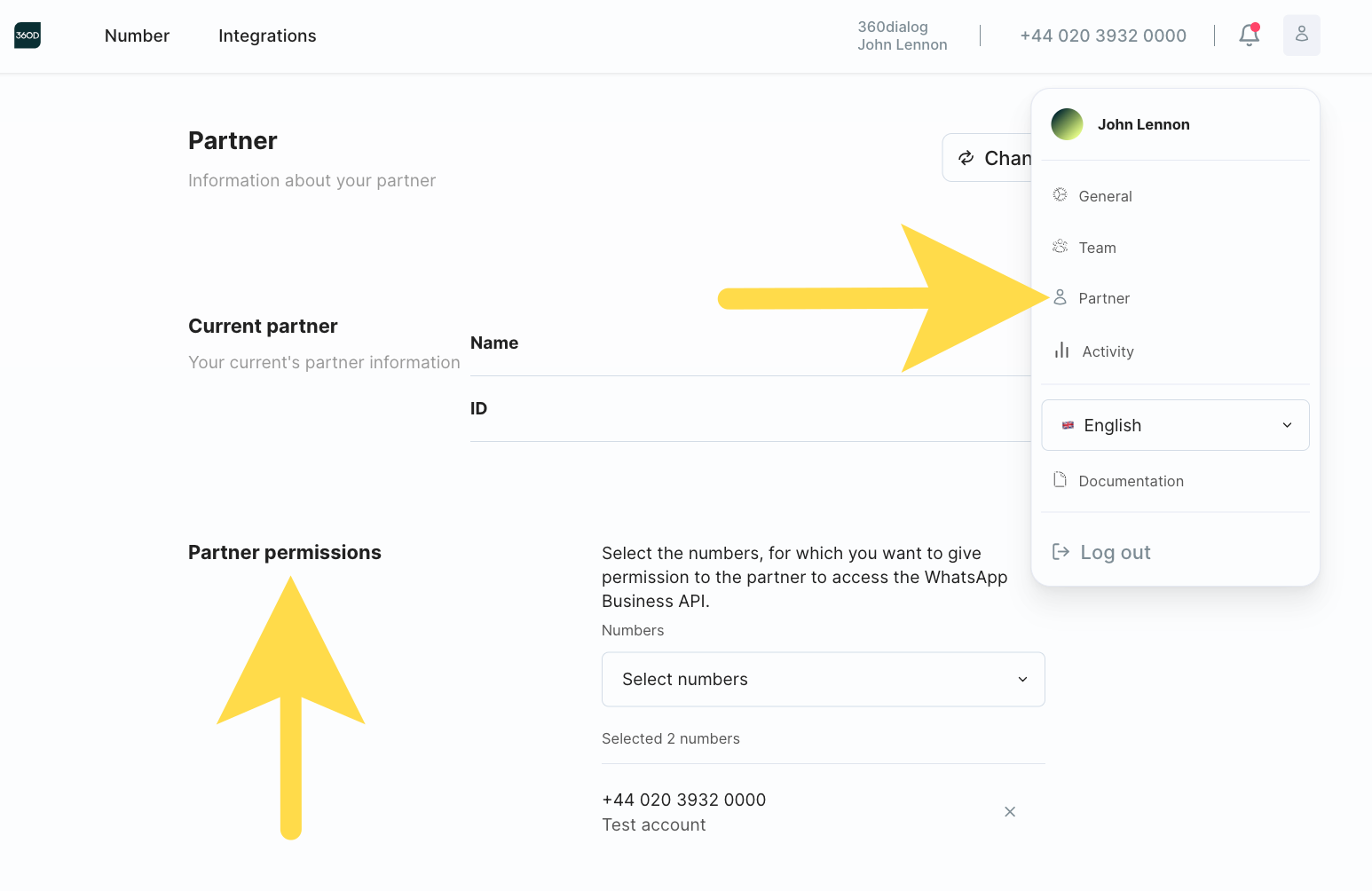
If you have Direct Payment, you can give or remove permission of a Partner directly in the Client Hub dashboard. To do so, log in to the Client Hub → click on your profile in the top Menu → “Partner” → The current permissions will be listed and can be edited.
If you have Partner Payment and wish to reclaim your API key, please contact your Integration Partner.
#### With Integrated Onboarding
When you are signing up or at any given time, your Partner can trigger the `/permission` screen of the Integrated Onboarding flow to prompt you to give permission for all or specific numbers/channels. [See how they can do this on our Partner Documentation](https://docs.360dialog.com/partner/waba-management/partner-permission-to-generate-api-key#with-integrated-onboarding).